TV Time alternative
A simple TV Time alternative for tracking shows and movies
Show Tracker Web remembers where you are in each TV show, episode by episode, and which movies you've seen — in any browser on your phone, tablet or computer. There's no TV Time import, so you add shows by hand. It's free during our launch period, then a 30-day free trial and $2.99 a year. No card needed.
Why people are looking for a TV Time alternative
TV Time's app was discontinued after July 15, 2026. For a lot of people it was the app that remembered which episode they were on, and it went away with little warning. If you exported your data before the shutdown, keep that file. Some other trackers can still import it. Show Tracker Web can't. This page is for people who want a simple list they can rebuild and keep using.
A good replacement does a few ordinary things well. You can check off one episode or a whole season, see when the next episode airs, track movies if you watch those too, and use it on the devices you already have. It should also be honest about pricing and about what happens to your list.
What Show Tracker Web does
Search and add
Find a TV show or movie, with posters, and add it to your list in one tap. Search can switch between TV and movies, and titles already on your list are marked.
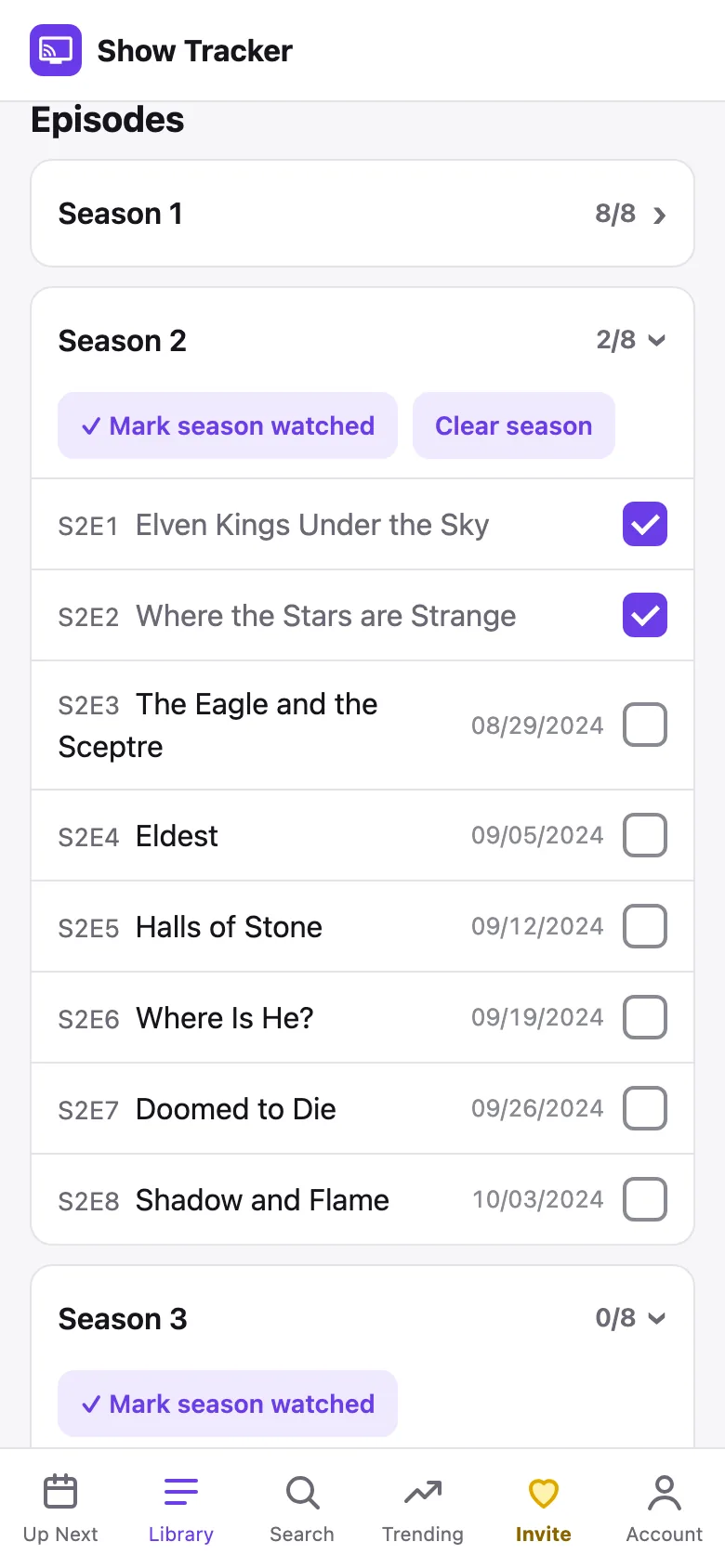
Episode by episode
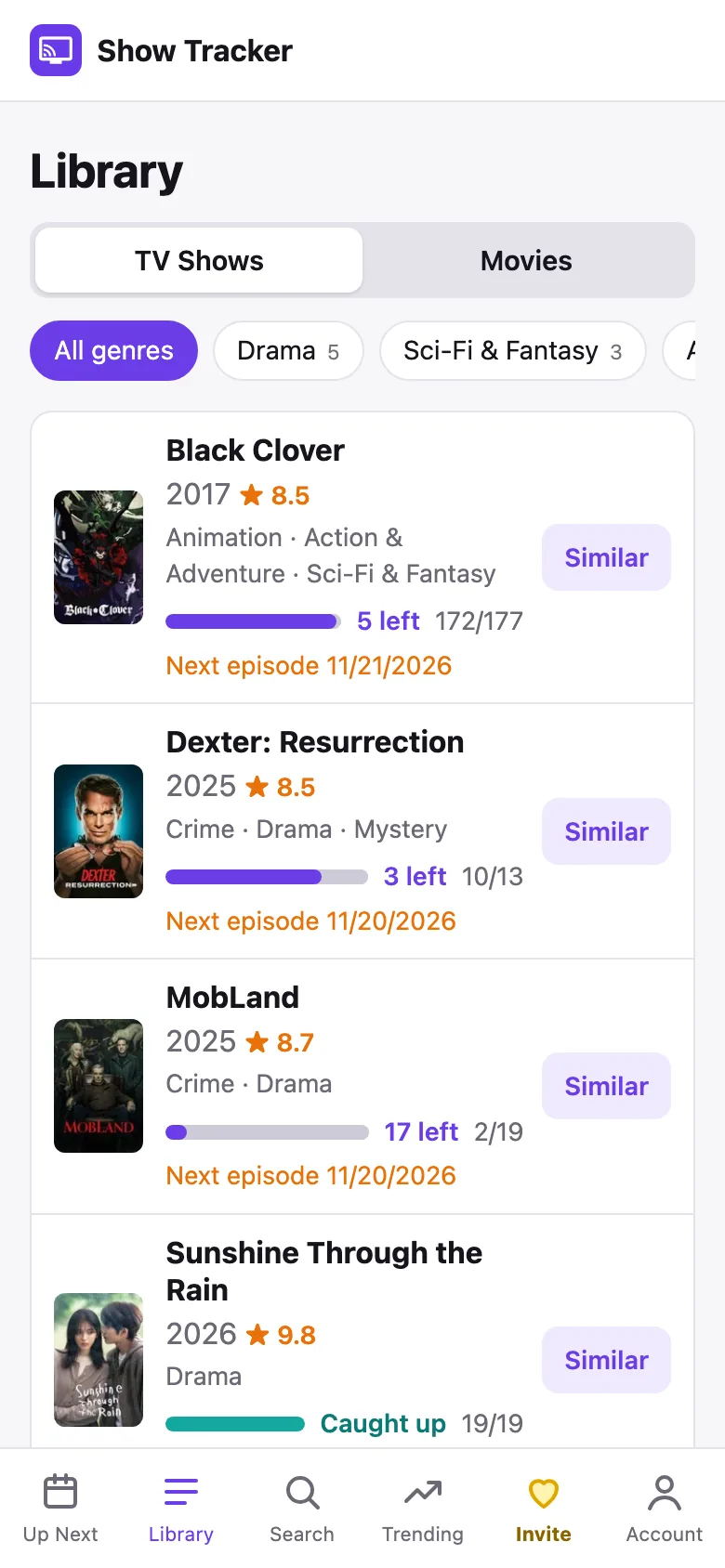
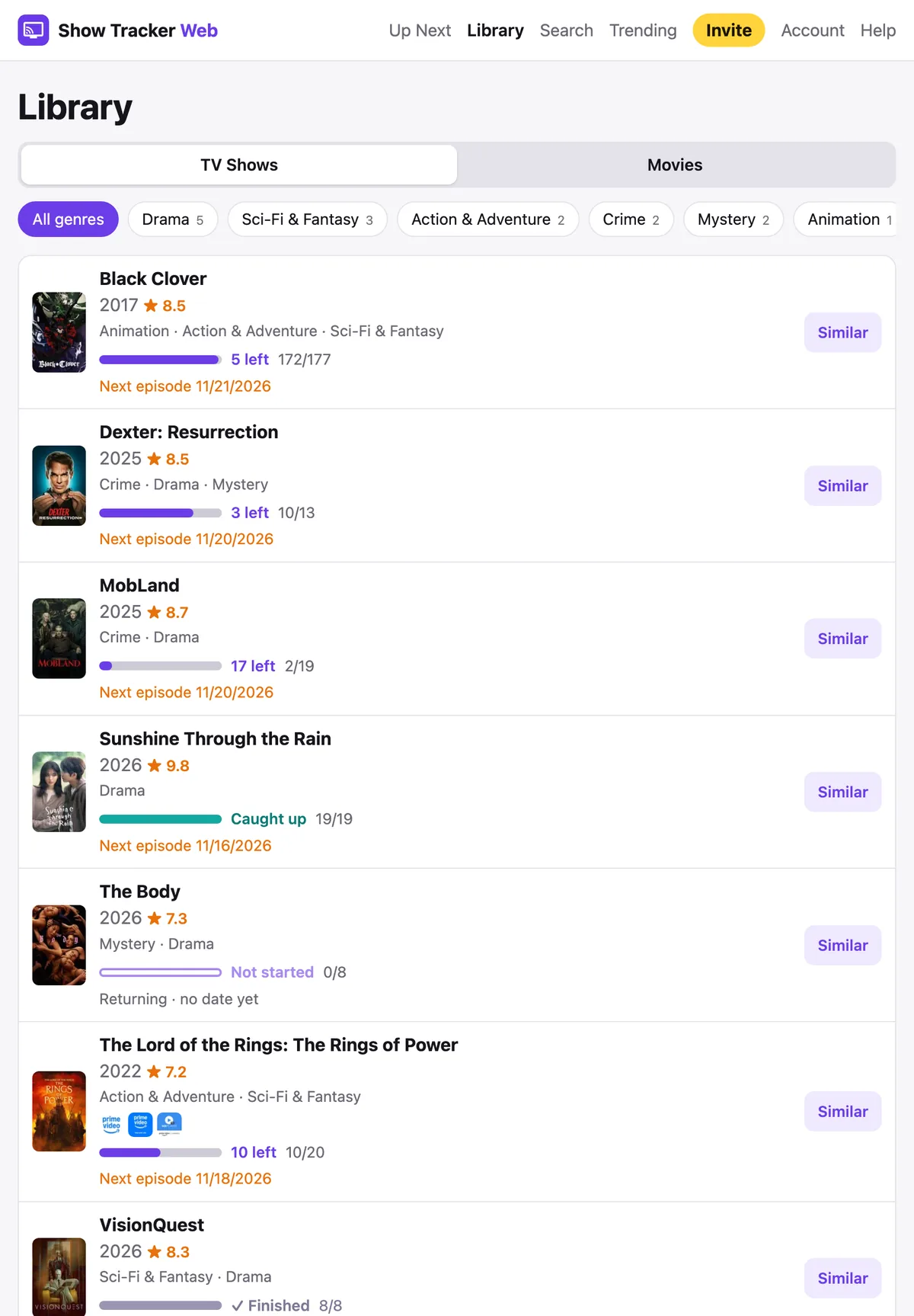
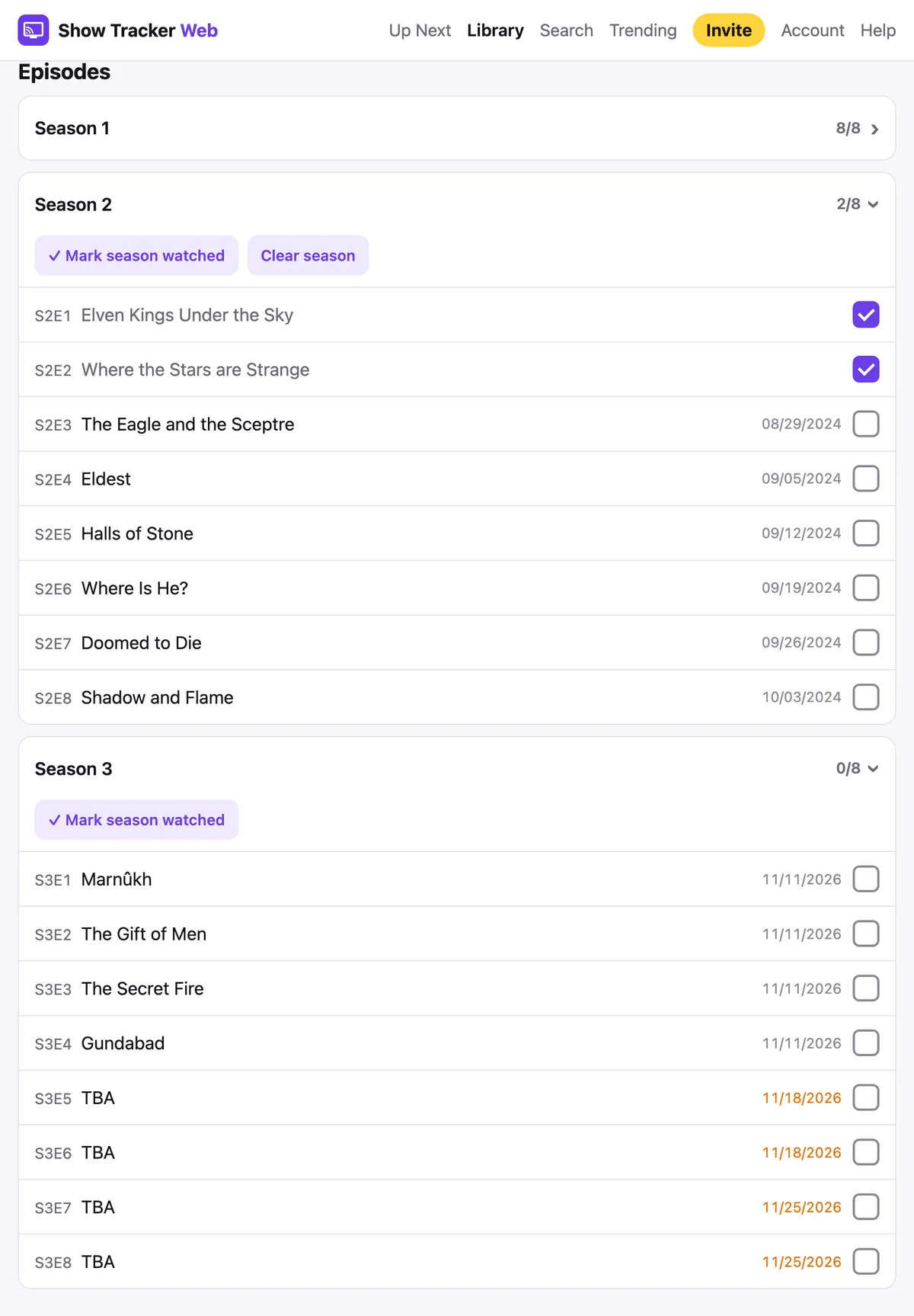
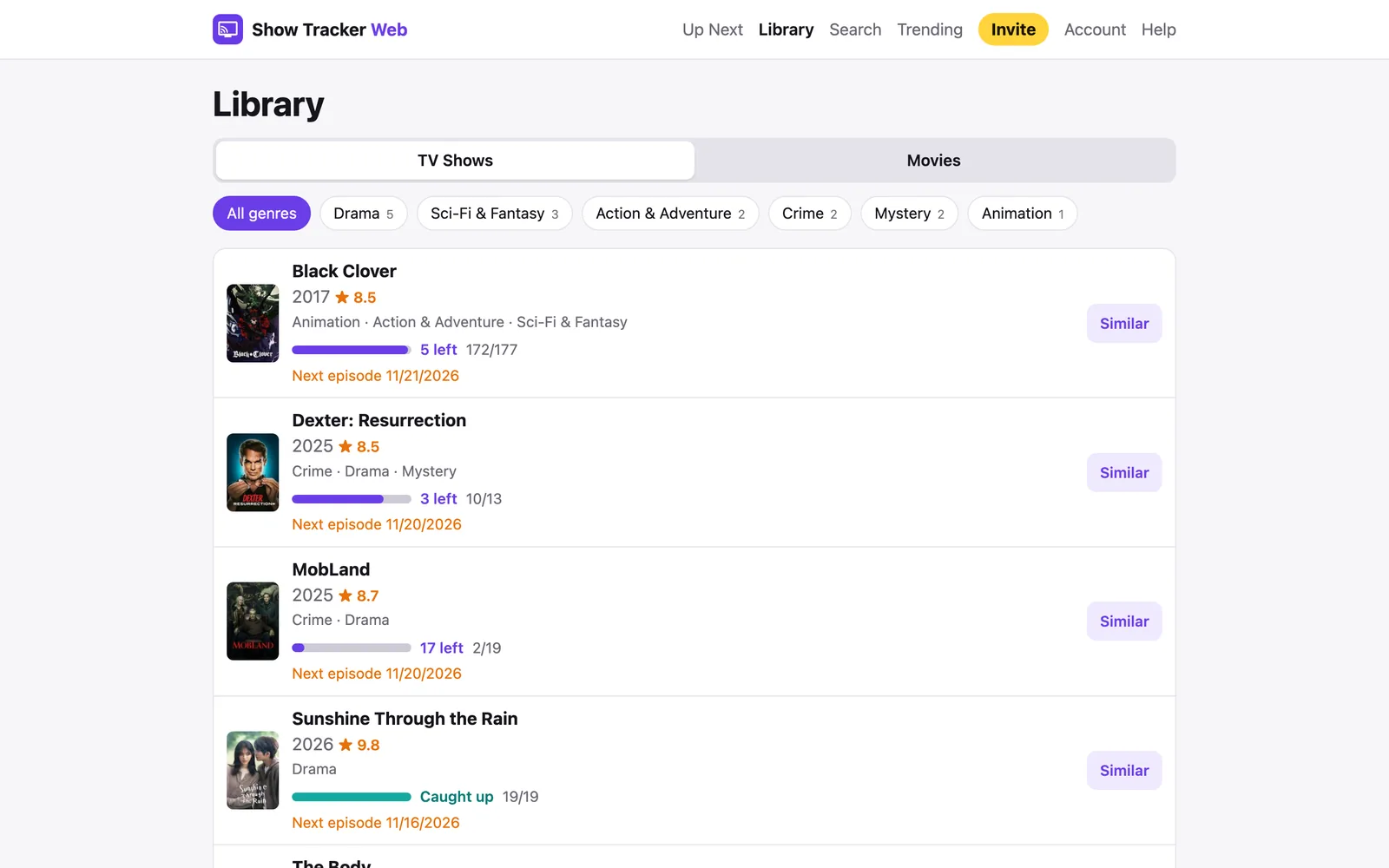
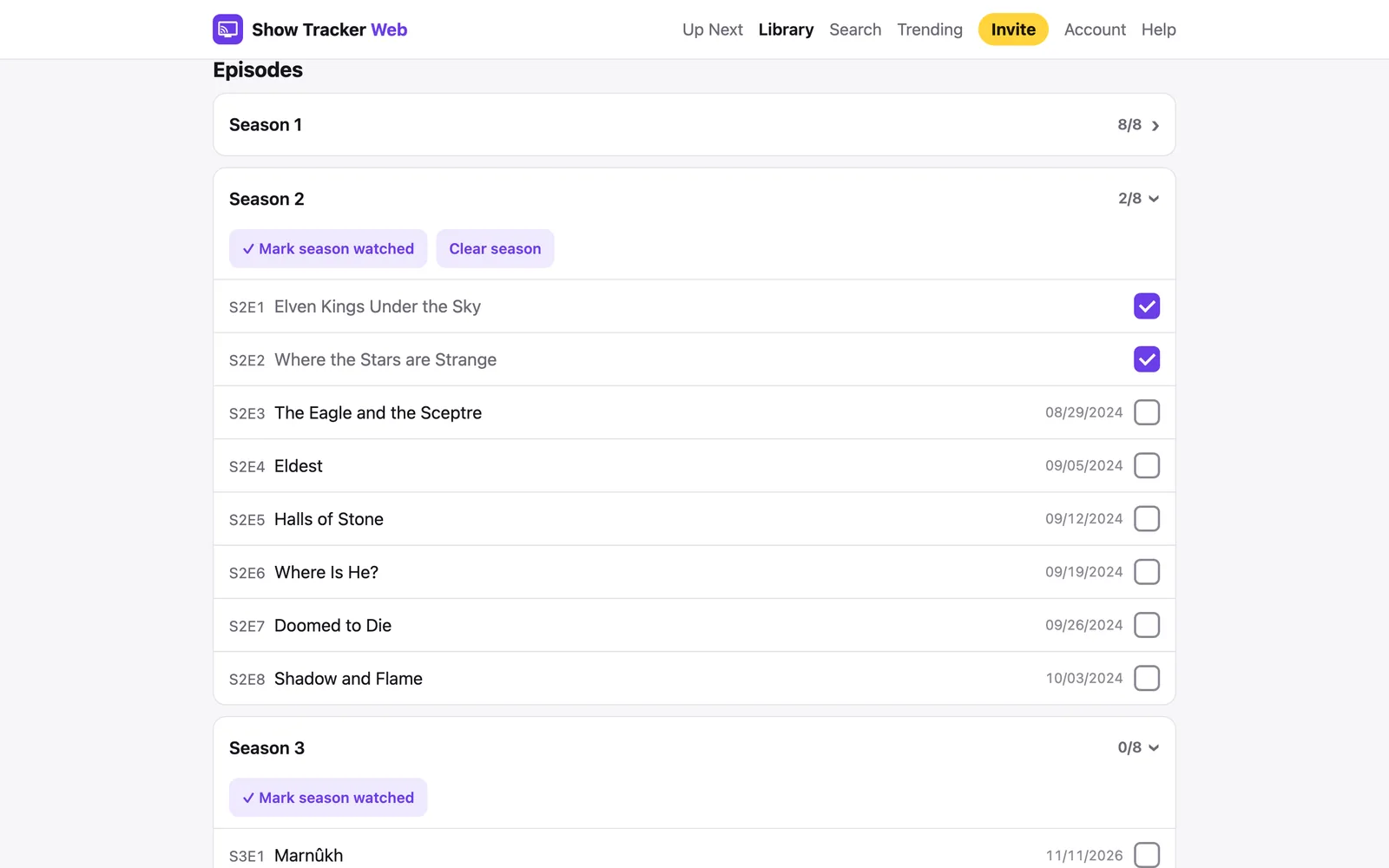
Check off episodes one at a time, or mark a whole season watched when you're catching up. A progress bar and a short label tell you what's left, whether you're caught up, or whether you've finished a show.
Air dates
Unwatched episodes show their air date — orange if it hasn't aired yet, gray if it's out and waiting for you. If you're caught up, the next episode date appears once it's been announced.
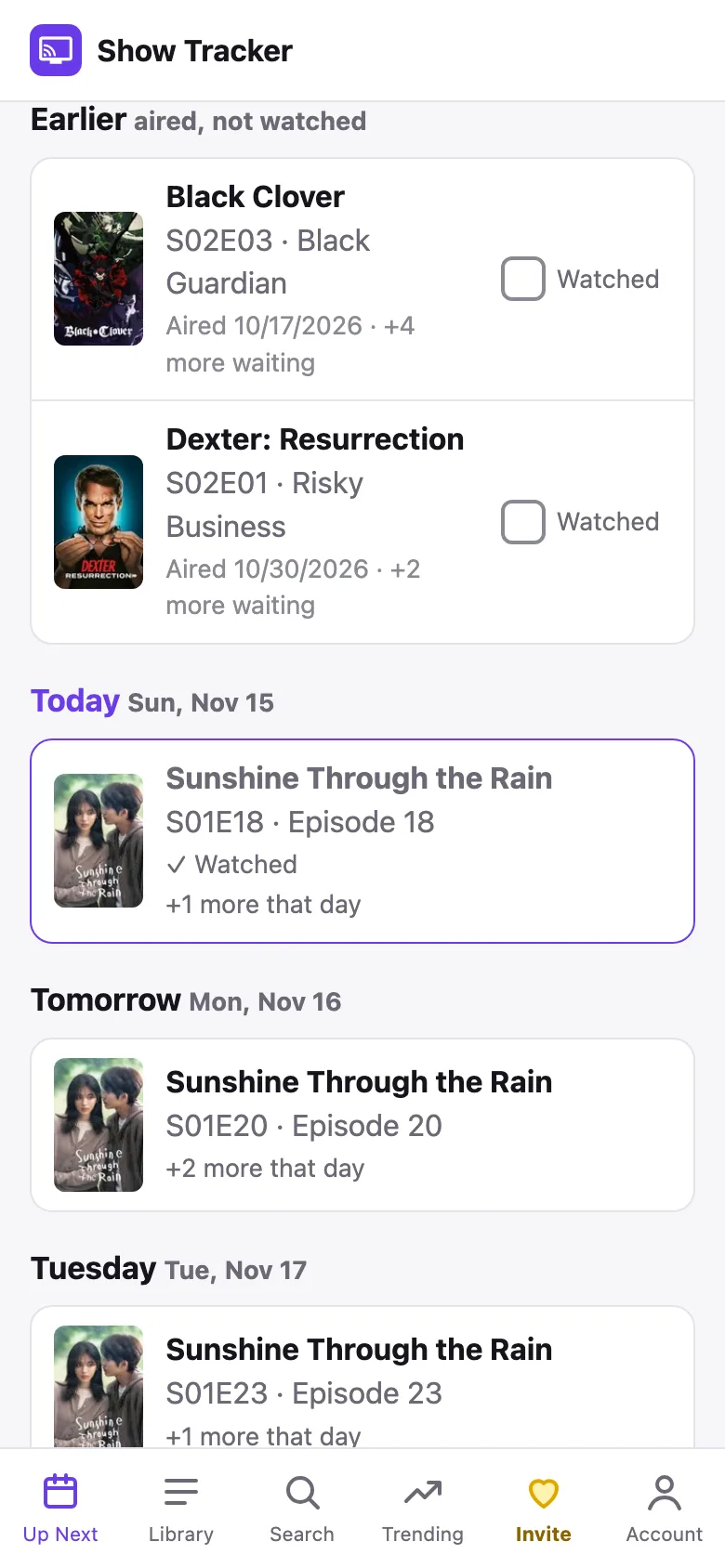
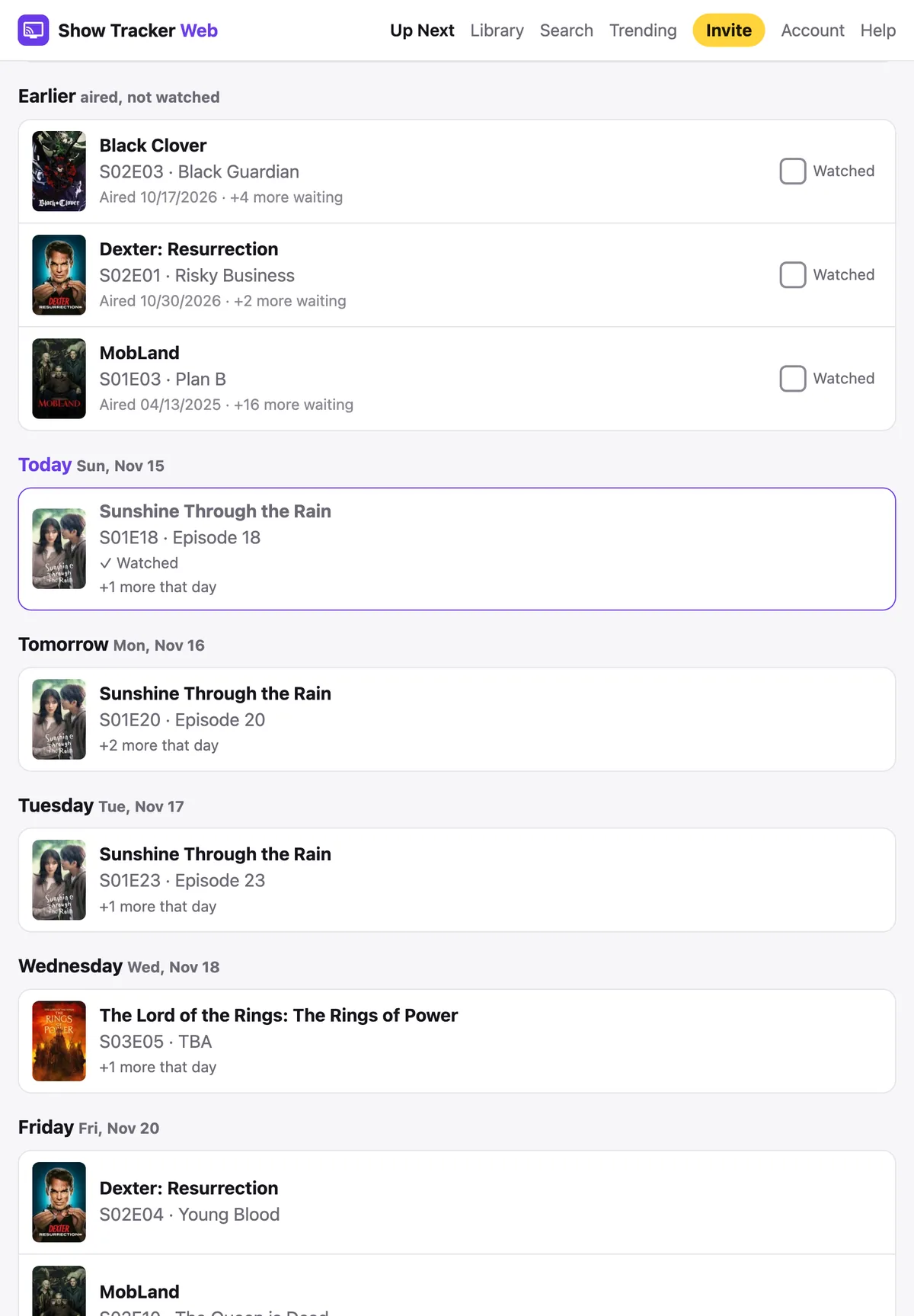
Up Next: what to watch next
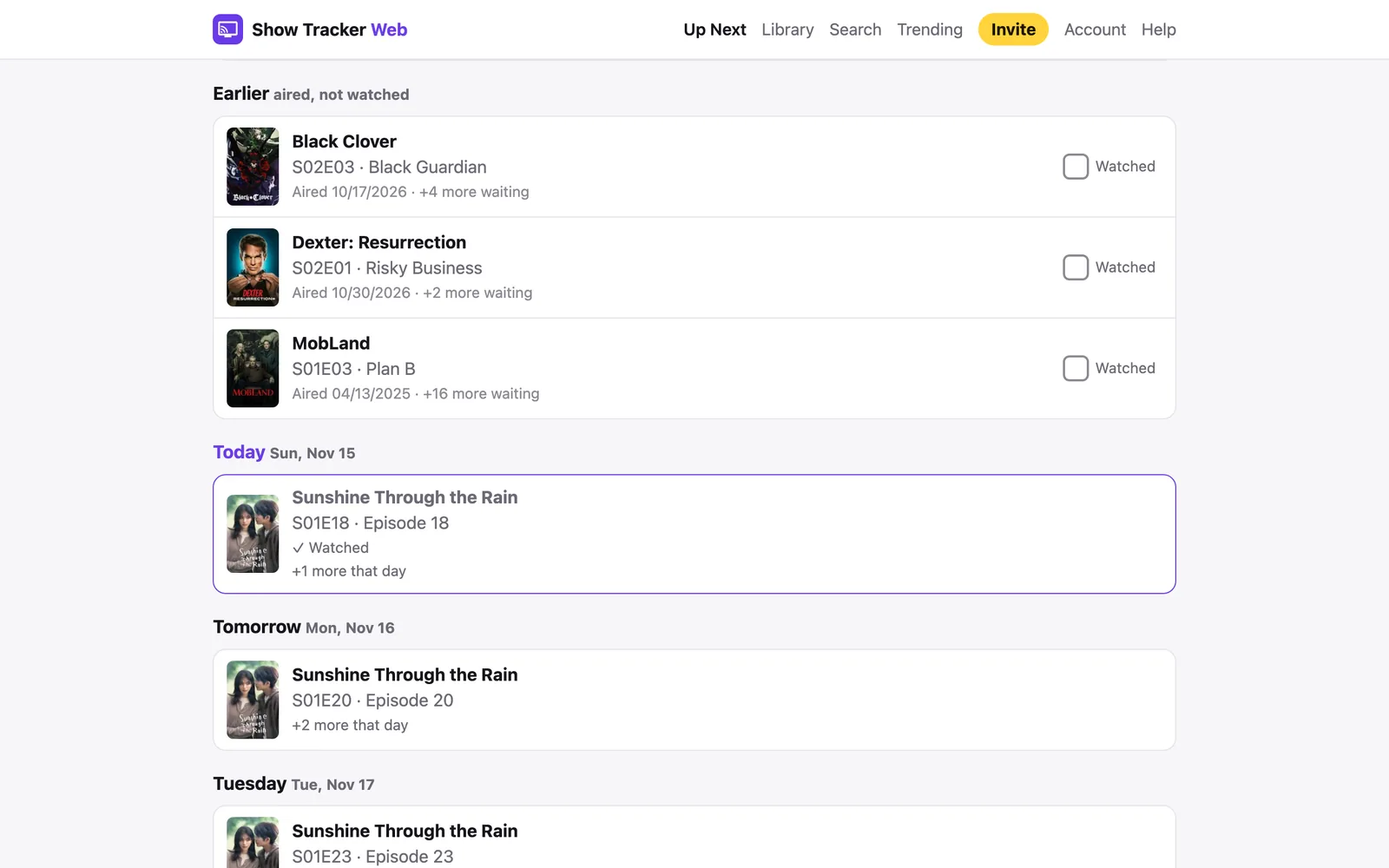
One page shows the oldest episode you haven't watched for each show, with a one-tap Watched button, then new episodes by day: Today, Tomorrow and beyond. Switch on "Only shows I'm watching" to skip shows you haven't started, or tick off any show you want left out.
Movies too
Tick off movies as you watch them and filter by All, Watched or Unwatched. Movies can be rated and removed the same way shows can.
Trending, similar titles and ratings
See what's trending this week, filter by genre, and give anything on your list your own 1–5 star rating. Liked something? Similar shows and movies are a click away.
Works in any browser
Use it on your phone, tablet or computer, with no app store install. On iPhone, open it in Safari and tap Share → Add to Home Screen. On Android, use Add to Home screen in the browser menu.
Private
No ads. Your list is yours and is never shared, and you can delete your account at any time.
Show and movie information comes from TMDB; episode air dates come from TVmaze. A title can occasionally be missing from the catalogue.
Is this right for you?
A good fit if…
- You want a simple place to check off episodes, one at a time or a whole season.
- You track movies as well as TV shows.
- You'd rather have no ads, and a list that is never shared.
- You want it in a browser on your phone, tablet or computer, with no app store install.
Not for you if…
- You need to import a TV Time export. We can't read that file.
- You want a social feed, comments or episode discussions. We don't have them.
- You want automatic tracking from Plex, Netflix or other apps. We don't do that.
- You want an App Store or Google Play app for this web product. We don't have one.
How to move your shows over
Show Tracker Web doesn't import TV Time data. If you still have an export file you saved before the shutdown, keep it somewhere safe. We can't read it here, but you may want it later, and some other apps can.
To rebuild your list:
- Create a free account and confirm your email.
- Start with the shows you're in the middle of, not your entire history. Search for a title, add it, and open the show.
- If you've already finished earlier seasons, use "Mark season watched." Then check off individual episodes in the season you're on.
- Add movies you've seen (or want to see) and tick the ones you've watched. Rate anything you like from 1 to 5 stars.
- You don't have to recreate years of watching in one sitting. Add the next show when you next sit down to watch.
That's the whole move. It takes a little time up front, and after that the list is yours to keep checking off.
Free during launch, then $2.99 a year
Free launch period
$0
- Every feature, no limits
- No card needed
- Then a full 30-day free trial when paid plans start
Unlimited
$2.99/ year
- Unlimited TV shows and movies
- Keep adding and checking off after the trial
- Renews yearly; cancel any time
- No subscription? Your list stays, read-only
If you don't subscribe, you're never charged. Your list stays and becomes read-only, and you can subscribe later to pick up where you left off. See pricing for the details.
Questions
Is Show Tracker Web free?
It's free during our launch period, with every feature unlocked and no card needed. When paid plans start, every account gets a full 30-day free trial from that day, still with no card. After the trial, Unlimited is $2.99 a year to keep adding and checking off. If you don't subscribe, your list stays and becomes read-only. Nothing is deleted.
Does it work on my phone?
Yes. It works in any browser on a phone, tablet or computer. On iPhone, open the site in Safari, tap Share, then Add to Home Screen. On Android, use Add to Home screen in the browser menu. It then opens like an app.
Can I track movies as well as TV shows?
Yes. You can add movies, tick them as watched, filter by All, Watched or Unwatched, and give them a 1–5 star rating.
Are there ads? Is my library private?
No ads. We don't sell your data, we don't send marketing email, and your lists are never shared. We use Google Analytics to count visits to the site, such as which pages are read and roughly where visitors come from. It sets cookies to do that, and it never sees what's on your list. One more cookie keeps you logged in. You can delete your account at any time.
Is this the same as the Show Tracker iPhone app?
No. The Show Tracker iPhone app is a separate product with its own accounts and data. Show Tracker Web is this website. Signing up here doesn't sign you into the iPhone app, and the other way around.
What if a show is missing, or an air date looks wrong?
The catalogue comes from TMDB, and air dates come from TVmaze. Search by the exact title and switch between TV and Movies. A new episode can take a few hours to appear; opening the show's page refreshes it. If it's still missing, it hasn't been published in those sources yet. If you're stuck, email drew.traver@icloud.com and a real person will reply.
Start a free list
If you want a simple, private place to track what you're watching, you can start in a couple of minutes.
Free during our launch period, then a 30-day free trial and $2.99 a year. No card needed. Read the help pages
Show Tracker Web isn't affiliated with TV Time or its owner. It's a separate service from the Show Tracker iPhone app, with its own accounts.